They all pair with OnlyFans Live, so that's not the deciding factor. What is: does the LED actually show on video, will the battery survive a long shoot, and does the connection hold during a live? I've worked all three through filming and streaming — here's the one I'd reach for, and why.
🏆 #1 — Best for OnlyFans
Lush 4
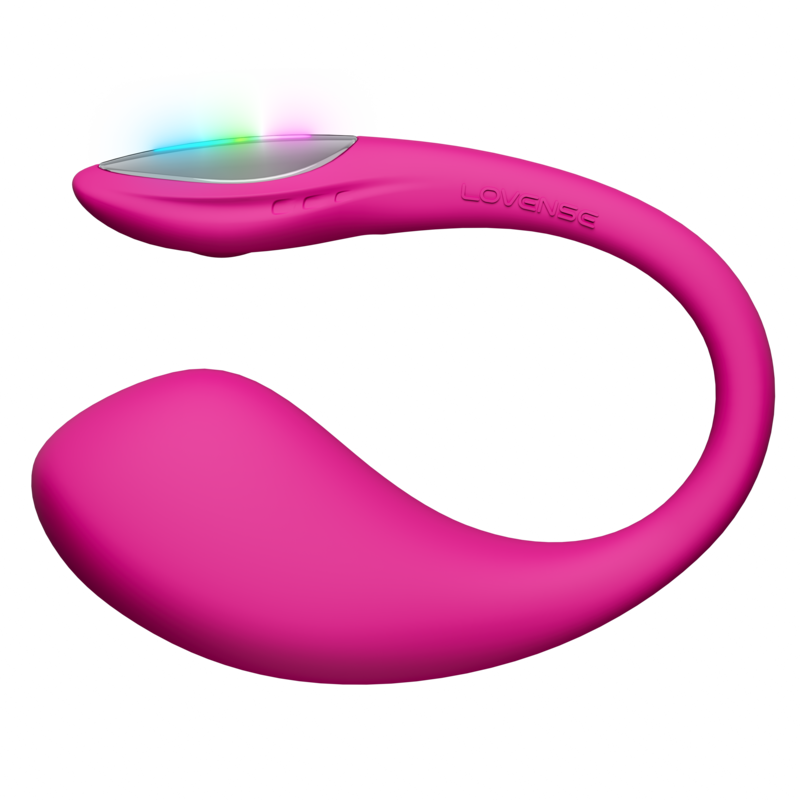
LED visible in video and live streams. 7h battery for long shoots. Rapid charge between sessions. BT 5.0 stability for live streaming.
Based on battery, LED visibility, noise in recordings, and live stream reliability.
🏆 #1 — Best for OnlyFans
LED in every video. Battery for every session.
The Lush 4 is the strongest choice for OnlyFans because it addresses the two things that matter most for content creation: visual engagement and session endurance. The LED tail pulses in sync with vibration intensity — every tip on a live stream, every moment of activation in a recorded video, produces a visible glow reaction that no other Lush model can match. At 5–7 hours of battery life, it outlasts most recording sessions without requiring a mid-shoot recharge.
For OnlyFans Live specifically, Bluetooth 5.0 provides a more stable connection than the Lush 3's BT 4.2 — important in an environment with a laptop, lighting, camera, and potentially a second device all competing for wireless bandwidth. The 5-minute rapid charge is a genuine workflow feature: a short break between recording sessions is enough to add another full hour of use without waiting for a complete charge cycle. Under 36 dB means the motor is inaudible in recordings with typical microphone setups.
7h batteryLED in videoBT 5.0<36 dBRapid charge
Bottom line: The professional creator's pick. LED visibility and session endurance are non-negotiable for serious OnlyFans content.
Near-silent recording. Smaller head for long sessions.
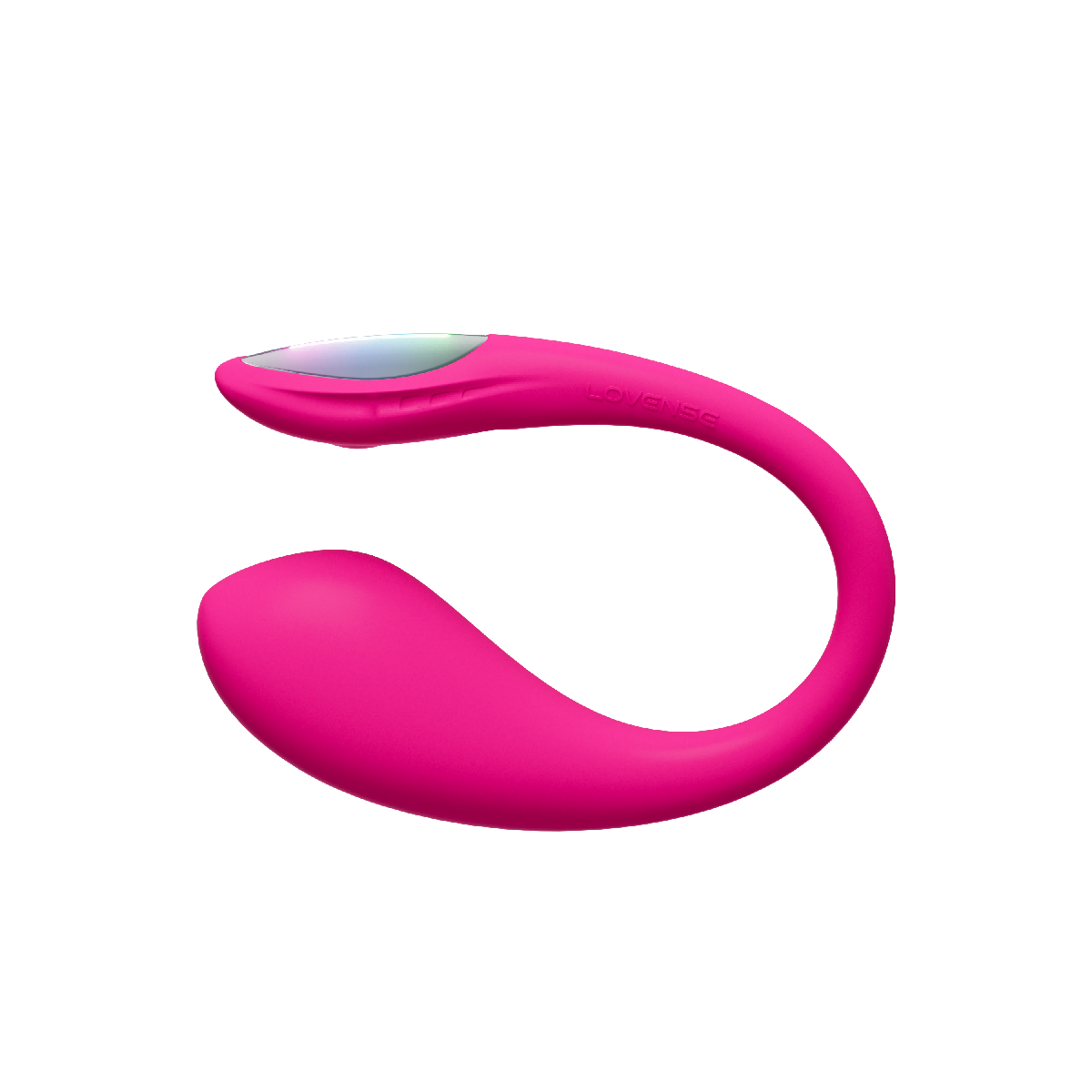
The Lush Mini is the right choice for OnlyFans creators who work with sensitive recording microphones, shoot in shared spaces, or who find the standard 37mm head uncomfortable during extended content sessions. Its 31mm head is meaningfully smaller than the Lush 4 and Lush 3, which matters for solo content that runs 2–3+ hours. Both the Lush Mini and Lush 4 measure under 36 dB, but the Mini's smaller motor area gives it a marginal noise advantage in direct comparisons.
It shares Bluetooth 5.0 with the Lush 4, so live stream connection stability is identical. The key trade-offs for OnlyFans use are the shorter battery (3–5h vs 5–7h), the absence of an LED (a genuine content gap for videos where visual feedback matters), and a less powerful motor. At the same $129 price as the Lush 4, this is a deliberate trade-off — the Mini is for creators who prioritise comfort and quiet over visual impact.
3–5h batteryNo LEDBT 5.0<36 dB31mm head
Bottom line: Best for creators who need quiet recordings and long comfortable sessions. Loses on LED and battery vs Lush 4.
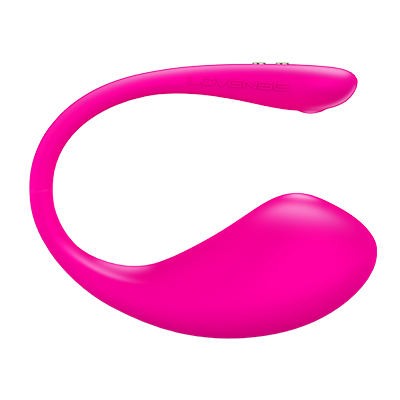
The Lush 3 is a functional entry point for new OnlyFans creators who want to test the format before committing to $129. It supports full OnlyFans Live integration — viewers' tips trigger vibrations identically to the other models, and the setup process is the same. The $10 saving over the Lush 4 and Mini is the entire case for choosing it.
The limitations compound quickly in a production context. The ~50 dB motor noise at maximum intensity can appear in audio recordings — particularly with condenser microphones common in content creation setups. Bluetooth 4.2 is less stable than BT 5.0 in environments with competing wireless signals, meaning dropped connections mid-live-stream are more likely. There is no LED for visual content, and no rapid charge — if the battery runs out mid-shoot, you are waiting 70 minutes for a full recharge. For casual, short-session use at low intensity, these limitations are manageable. For anyone building a consistent OnlyFans presence, the $10 upgrade to Lush 4 is worth it from the first session.
3.5–5h batteryNo LEDBT 4.2~50 dB$119
Bottom line: Works for OnlyFans. For serious creators, the noise, BT 4.2, and no rapid charge are real friction points.
Battery life is the spec that changes your workflow. Match your model to your typical content session.
Session type
Lush 4
Lush Mini
Lush 3
Short clip (under 30 min)
✓ Ideal
✓ Ideal
✓ Ideal
Photo set + solo content (1–2h)
✓ No issues
✓ No issues
✓ No issues
Long recording session (3–5h)
✓ Full session
⚠ May need break
⚠ Close to limit
Full production day (5h+)
✓ With rapid charge break
✗ Needs recharge
✗ Needs recharge
OnlyFans Live stream (2–4h)
✓ Recommended
✓ Fine for 2–3h
⚠ Fine for 2–3h
Back-to-back sessions
✓ 5-min rapid charge
✗ 70-min recharge
✗ 70-min recharge
Battery estimates at medium vibration intensity. Continuous high-intensity use will reduce runtime by 20–30%.
Creator Buying Guide
4 things that actually matter for OnlyFans
What differentiates a professional setup from an amateur one — for Lovense Lush specifically.
💡
LED visibility in content
The Lush 4 is the only model with an LED tail that pulses visibly during use. For video content and live streams, this creates a visible reaction in every frame — viewers see the device respond. For OnlyFans creators, this is a meaningful engagement differentiator that the Lush 3 and Mini simply cannot replicate.
🔋
Battery and rapid charge
Content creation sessions are unpredictable — a quick 30-minute clip can turn into a 3-hour shoot. The Lush 4's 5–7h battery and 5-minute rapid charge (1h use per charge break) give you operational flexibility the other models don't. The Lush 3 and Mini both require a full 70-minute recharge cycle when they run out.
🎙️
Motor noise in recordings
Any OnlyFans video with audio is a recording environment. The Lush 3 at ~50 dB maximum is audible to condenser microphones at high vibration settings. The Lush 4 and Mini both stay under 36 dB and are inaudible in recordings with standard microphone setups. If your content includes audio, the Lush 3's noise is a real post-production problem.
📶
Bluetooth for live streams
OnlyFans Live runs in a wireless-heavy environment — laptop, camera, lighting, potentially a second phone. Bluetooth 5.0 (Lush 4, Mini) handles wireless interference significantly better than BT 4.2 (Lush 3). A dropped connection during a live stream is a viewer experience failure and difficult to recover from gracefully on camera.
Buy direct from Lovense — discreet worldwide shipping
The same 5-step process works for all three Lush models. Takes under 5 minutes from unboxing.
1
Charge your Lush fully
Before any session, start with a full charge. Lush 4 takes ~60 minutes, or just 5 minutes for an extra hour via rapid charge. Lush 3 and Mini each take ~70 minutes. A battery dying mid-live is unrecoverable without a visible break — don't risk it.
2
Install Lovense Connect
Download the Lovense Connect browser extension for Chrome — it's the most reliable method for desktop setups. Alternatively, install the Lovense Remote app on your phone or tablet. Both let OnlyFans communicate with your Lush via Bluetooth without any cable.
3
Pair your Lush
Hold the button on your Lush until it pulses white — it's now in pairing mode. Open Lovense Connect or the Remote app, press "Add toy," and select your model. Pairing completes in seconds. Keep your Bluetooth source within 10 m (33 ft) throughout your session — BT 5.0 models handle crowded wireless environments better than BT 4.2.
4
Enable in OnlyFans Live
In your OnlyFans Live broadcaster settings, navigate to Interactive Toys and select "Connect Lovense." Authorise the connection. Once linked, use the Lovense panel inside OnlyFans to configure which tip amounts trigger which vibration patterns and for how long. Changes take effect immediately — no restart needed.
5
Test before going live
Always trigger each tip tier manually in a private session first to confirm the vibration intensity and duration match what you configured. If you use a Lush 3, also check your microphone noise gate — the motor at high intensity can appear in your recorded audio, and catching it during testing costs nothing; catching it in post-production costs time.
💡
For pre-recorded content
Pre-recorded OnlyFans content doesn't need the Live integration. Control your Lush directly via the Lovense Remote app. The Lush 4's LED will pulse visibly in your video regardless — it reacts to vibration intensity, not to the tip system. For solo content shoots, this is the cleaner and simpler workflow.
Sister site
Comparing Lovense masturbators?
HimCompare covers Max 2 vs Calor, Gush 2 vs Solace Pro, and every Lovense masturbator — same independent format, zero brand bias.
How I test this: the real-world calls come from living with these toys, cross-checked against Lovense's published specs and hundreds of verified-buyer reviews (I'm not a lab, so any figure that's Lovense's rating rather than something I observed stays labelled as a rating). The full method, sources and how I score is on my methodology page.
Affiliate disclosure: buy links are affiliate links — I earn a small commission at no extra cost to you, and it never changes which model I recommend (I regularly point readers to the cheaper one). — Victoria Andersen
FAQ
Lovense Lush on OnlyFans — answered.
Every question from OnlyFans creators, answered directly.
Which Lovense Lush is best for OnlyFans?+
The Lush 4 is the best choice for OnlyFans in 2026. Its LED tail glow is visible in both recorded videos and live streams — a visual engagement feature no other Lush model has. The 5–7 hour battery covers long content sessions and full production days, and Bluetooth 5.0 provides a stable connection for OnlyFans Live in environments with competing wireless signals. The 5-minute rapid charge adds an hour of use per break, which is genuinely useful between recording sessions. All three models support OnlyFans Live tip-activated integration — the differences are in visual content quality, session endurance, and connection reliability. Read my Lush 4 in-depth review for a full breakdown of every feature.
Does the Lovense Lush work with OnlyFans?+
Yes. All three Lush models — Lush 4, Lush 3, and Lush Mini — are compatible with OnlyFans via the Lovense Connect browser extension or the Lovense Remote app. For OnlyFans Live, tip-activated vibration integration works similarly to Chaturbate: subscribers' tips trigger vibrations at intensities you configure in advance through the Lovense panel. The integration works in real time during live streams. For pre-recorded content, you control the device manually through the app rather than through subscriber tips. All three models use the same setup process for OnlyFans.
Is the Lush 4 LED visible in OnlyFans videos?+
Yes, clearly. The Lush 4's LED tail pulses in sync with vibration intensity — every activation during recording or a live stream produces a visible glow that reacts in real time. At standard recording distances with typical camera settings, the LED is clearly captured on video. The brightness scales with vibration intensity, so higher tip tiers or stronger activation patterns produce a more pronounced visual. For OnlyFans content specifically, this creates a visual feedback element in every video that differentiates Lush 4 content from Lush 3 or Mini content. The Lush 3 and Lush Mini have no LED — their tails are completely opaque silicone.
How long does the Lush 4 battery last for OnlyFans content creation?+
5–7 hours at medium vibration intensity — which covers most recording sessions and typical OnlyFans Live streams. At continuous high intensity, expect the lower end of that range (around 5 hours). At intermittent use with varied patterns, closer to 7 hours is realistic. The Lush 4's rapid charge is a key workflow feature: 5 minutes plugged in delivers approximately 1 hour of additional use, which means a break between recording setups or scenes is enough for a meaningful top-up. The Lush 3 and Lush Mini do not have rapid charge — both require the full ~70 minutes for a complete recharge. Full Lush 4 charge takes approximately 60 minutes.
Does the Lush Mini work for OnlyFans?+
Yes, fully. The Lush Mini works with OnlyFans Live integration identically to the Lush 4 and Lush 3. For OnlyFans creators, the Mini's main advantages are comfort during long sessions (31mm head vs 37mm), near-silent operation under 36 dB which keeps audio recordings clean, and BT 5.0 for stable live stream connections. The trade-offs are a shorter battery (3–5h vs 5–7h for the Lush 4), no LED for visual content, and a less powerful motor (5,000 RPM vs 7,000 RPM). Since both the Lush Mini and Lush 4 cost $129, the Mini makes sense specifically if comfort during extended wear or audio cleanliness is your priority over visual engagement.
Is the Lush 3 good enough for OnlyFans?+
For budget creators starting out, yes. The Lush 3 supports full OnlyFans Live integration at $119 — $10 less than the Lush 4 and Mini. The limitations become real in a production context: the ~50 dB motor at maximum vibration can be captured by recording microphones in audio content, Bluetooth 4.2 is less stable than BT 5.0 in multi-device wireless environments, there is no LED for visual feedback in videos or live streams, and no rapid charge means a 70-minute wait if the battery dies mid-session. These are manageable limitations for casual or infrequent use. For any creator building a consistent OnlyFans presence with regular video and live content, the $10 upgrade to Lush 4 eliminates friction that compounds over time. For a direct cost and feature comparison, see my Lush 4 vs Lush 3 guide.
Can the Lush motor noise appear in OnlyFans videos?+
The Lush 3 at maximum vibration (~50 dB) can be captured by condenser microphones commonly used in content creation — Blue Yeti, HyperX QuadCast, Rode NT-USB types. This is most noticeable at high vibration settings in a quiet recording environment. The risk increases if the microphone is positioned close to the body. A noise gate can reduce but not eliminate the issue at maximum intensity. The Lush 4 and Lush Mini both measure under 36 dB at maximum, making them inaudible in recordings with standard microphone setups at typical recording distances. If your OnlyFans content includes audio, using a Lush 4 or Mini is the simplest way to eliminate motor noise as a production concern. I break down the full dB specs and microphone compatibility in my Lush noise level guide.
How do you connect a Lovense Lush to OnlyFans?+
Turn on your Lush and connect it to the Lovense Remote app on your phone or computer via Bluetooth — the device pairs in seconds. For OnlyFans Live, you can also use the Lovense Connect browser extension in Chrome directly. Once connected, go to your OnlyFans Live settings and enable the interactive toy integration. You then configure tip tiers in the Lovense panel: each tip amount triggers a specific vibration pattern and intensity that you define in advance. Tip-to-vibration activation happens in real time during a live stream with no noticeable delay. All three Lush models use the identical connection process — there is no difference in how Lush 4, Lush 3, or Lush Mini connect to OnlyFans.
Was this comparison helpful?
Thanks for your feedback ✓
Ready to Choose?
Pick your Lush. Discreet shipping from Lovense.
All models support OnlyFans Live integration. Ships worldwide.